Collage Maker Pro
Transform hundreds of student photos into stunning yearbook-style collages in minutes. Perfect for schools, academies, and educational institutions!
Powerful Features for Schools
Everything you need to create professional photo collages without hiring a designer
Auto Photo Sorting
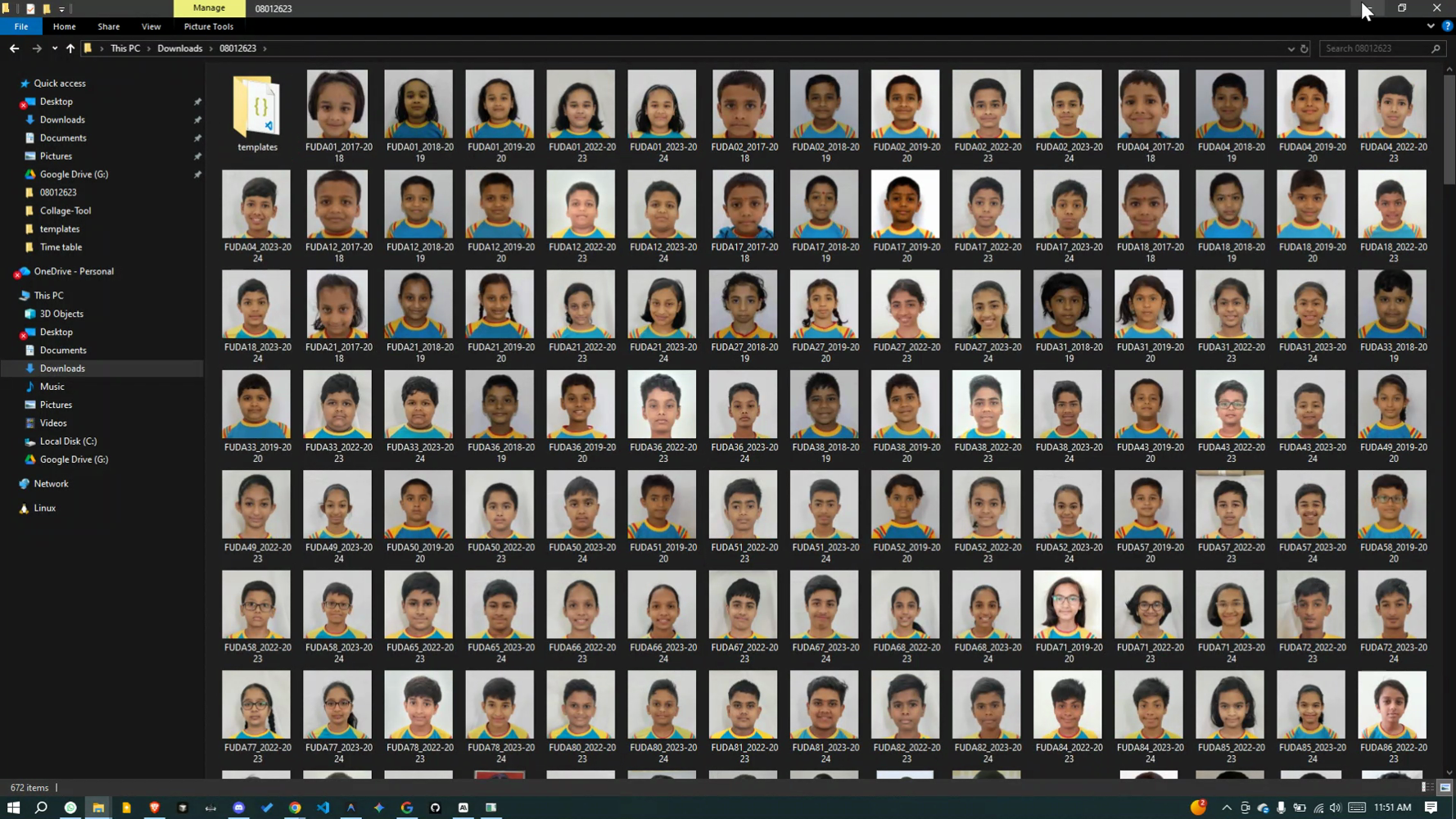
Photos are automatically grouped by school code and academic year. Just name files like SH001_2023-24.jpg and let the magic happen!
Smart Layout Presets
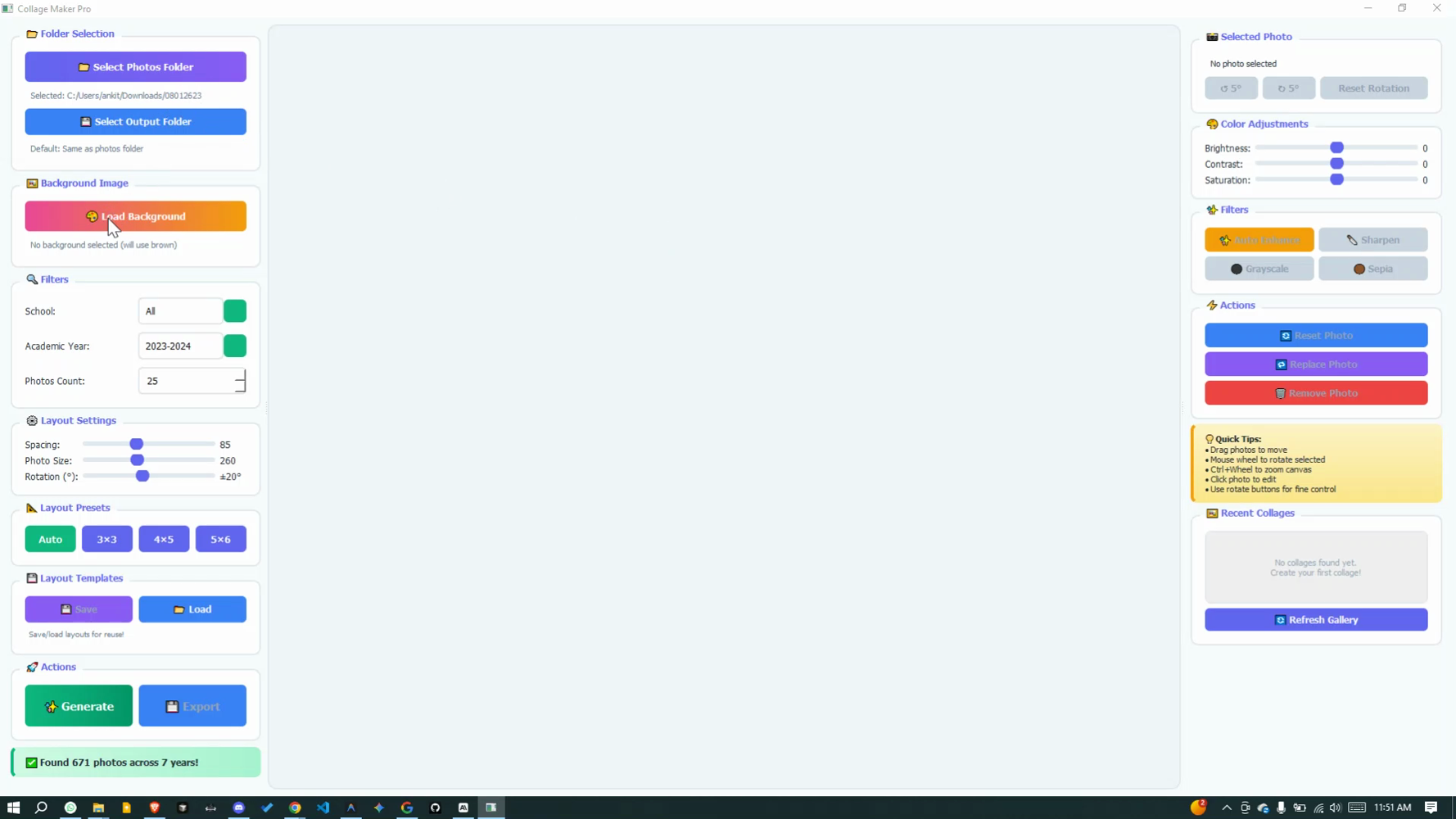
Choose from Auto, 3×3, 4×5, or 5×6 layouts. The app calculates perfect arrangement based on your photo count.
Drag & Drop Editing
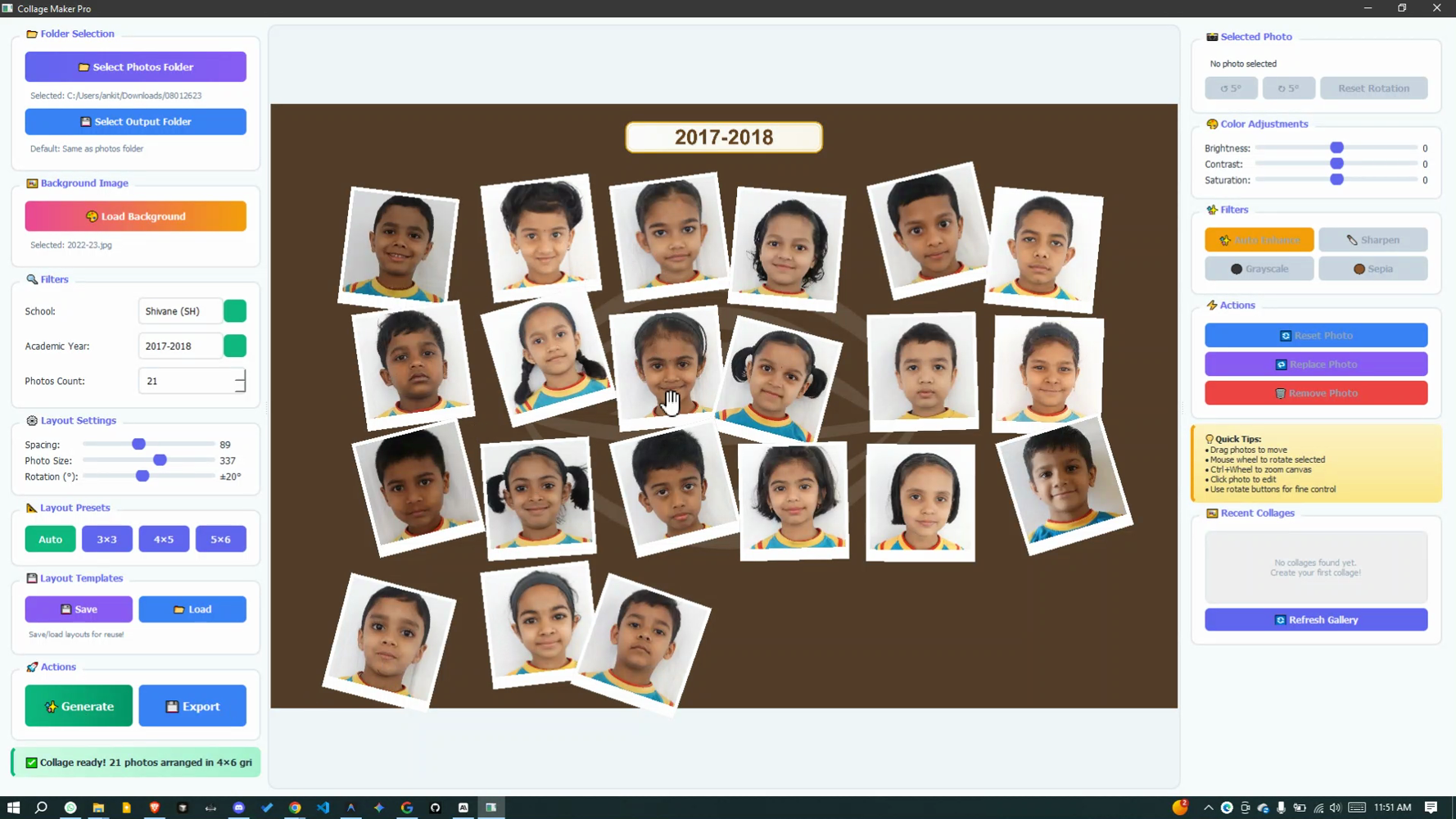
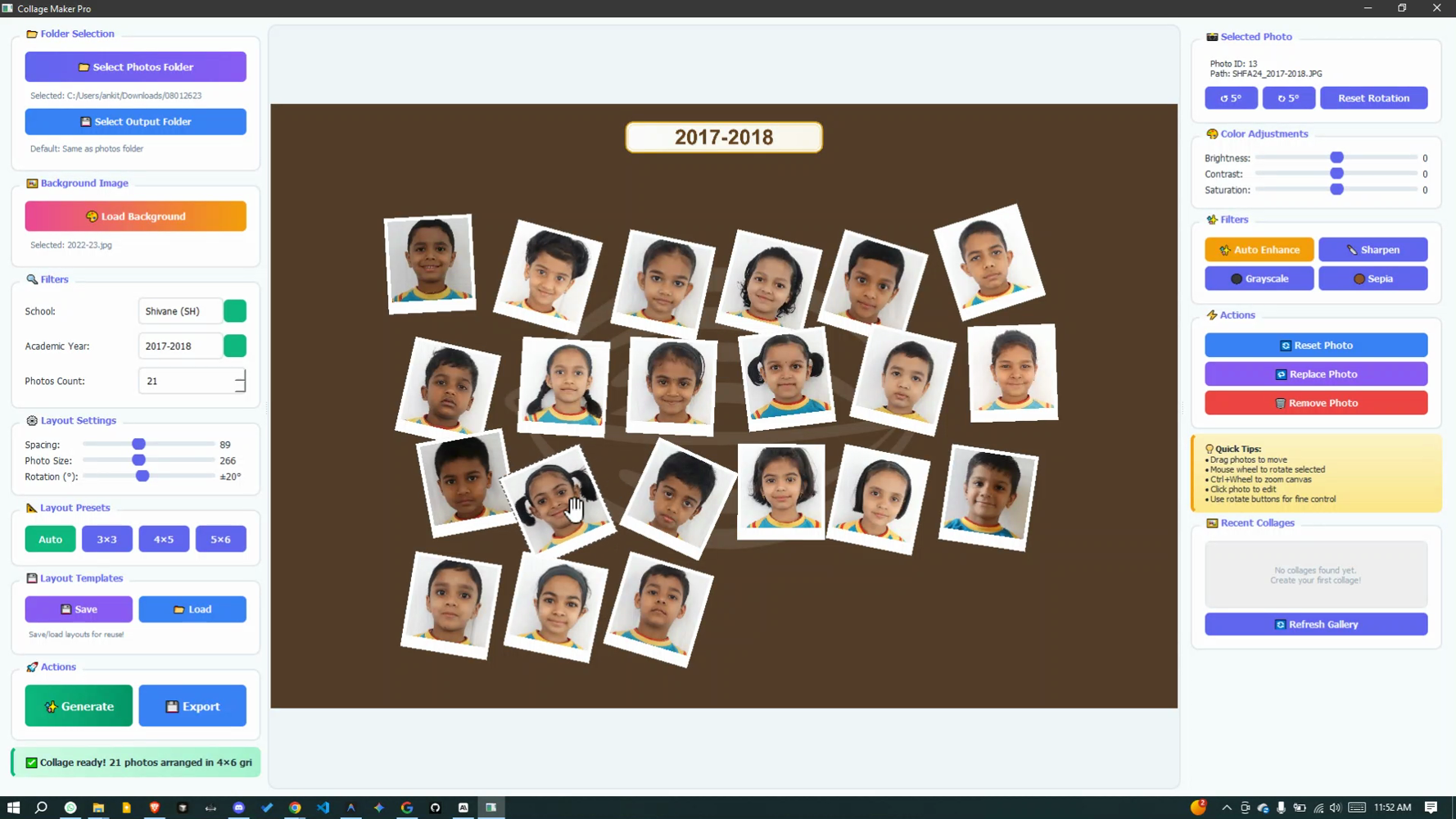
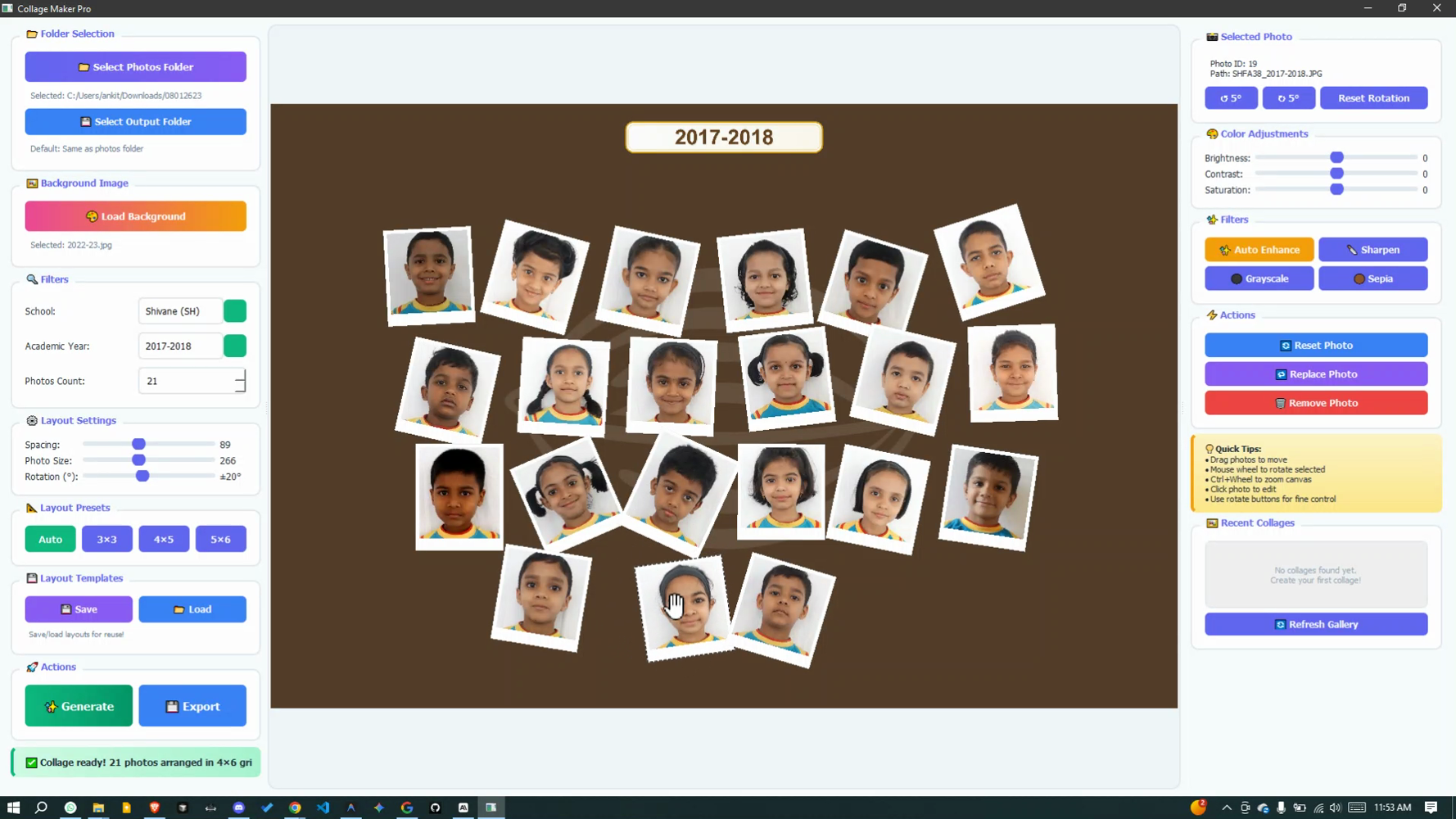
Click and drag any photo to reposition. Scroll mouse wheel to rotate. Perfect placement in seconds!
One-Click Enhancements
Auto Enhance, Sharpen, Grayscale, Sepia filters. Fix dark photos with brightness adjustment instantly.
Reusable Templates
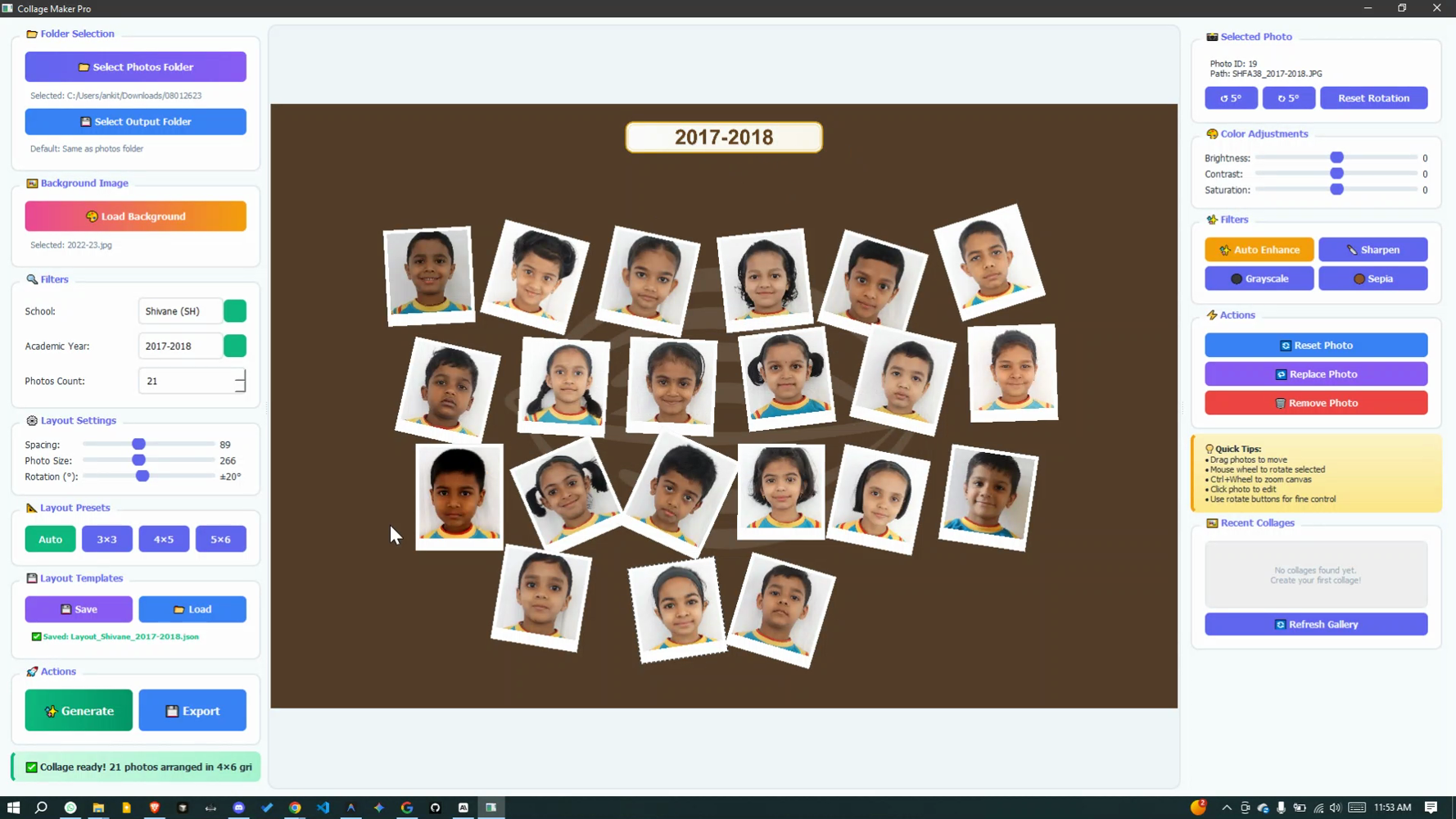
Save your perfect layout and reuse next year! Load template, change year, export — done in 2 minutes.
High-Quality Export
Export at 3000×2000 pixels in PNG (best quality) or JPG (smaller size). Print-ready resolution!
Create Collages in 5 Easy Steps
From folder selection to export in under 5 minutes
Select Photos Folder
Click the folder button and choose your student photos. The app scans and automatically groups them by school and year.
Choose School & Year
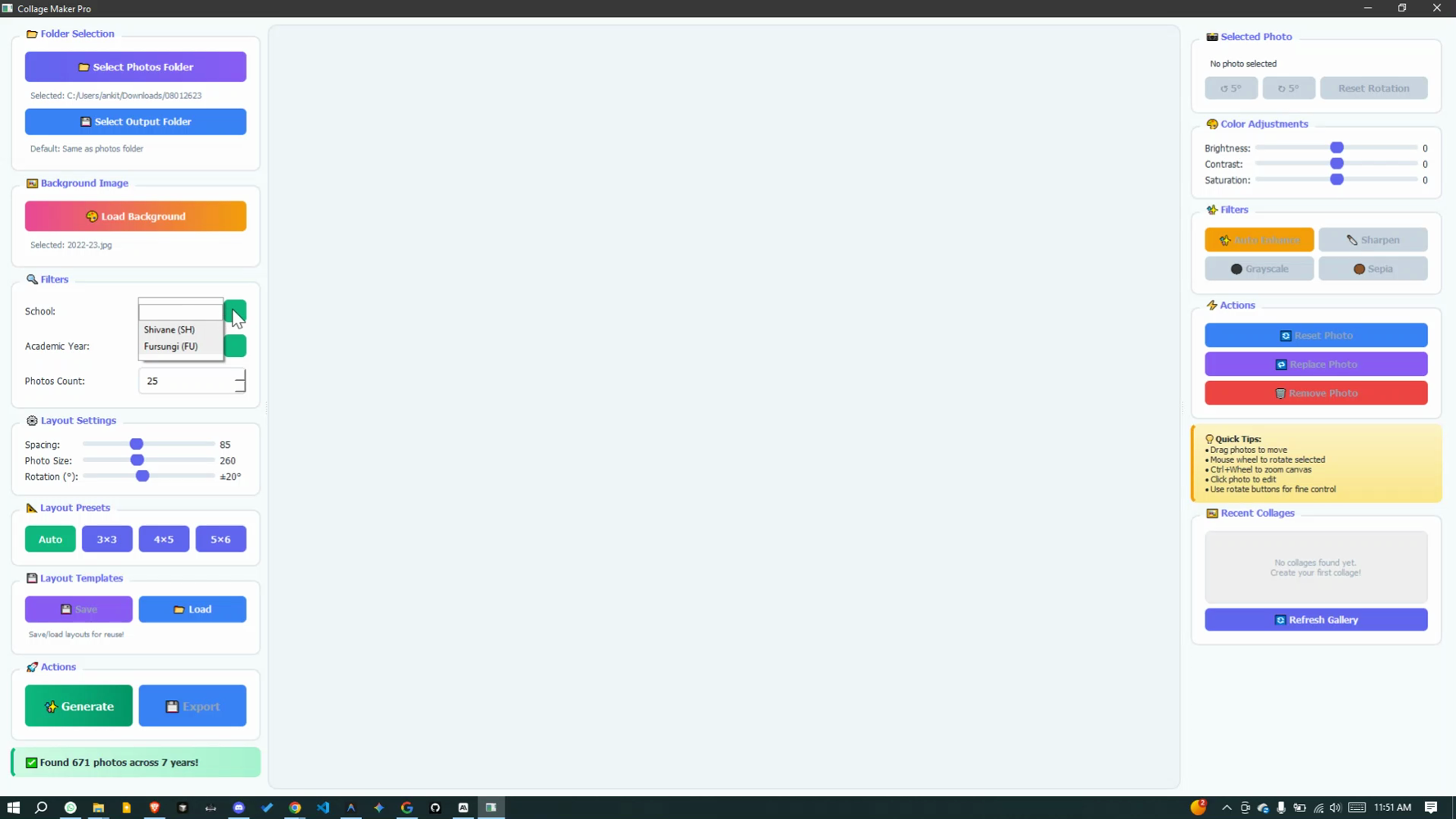
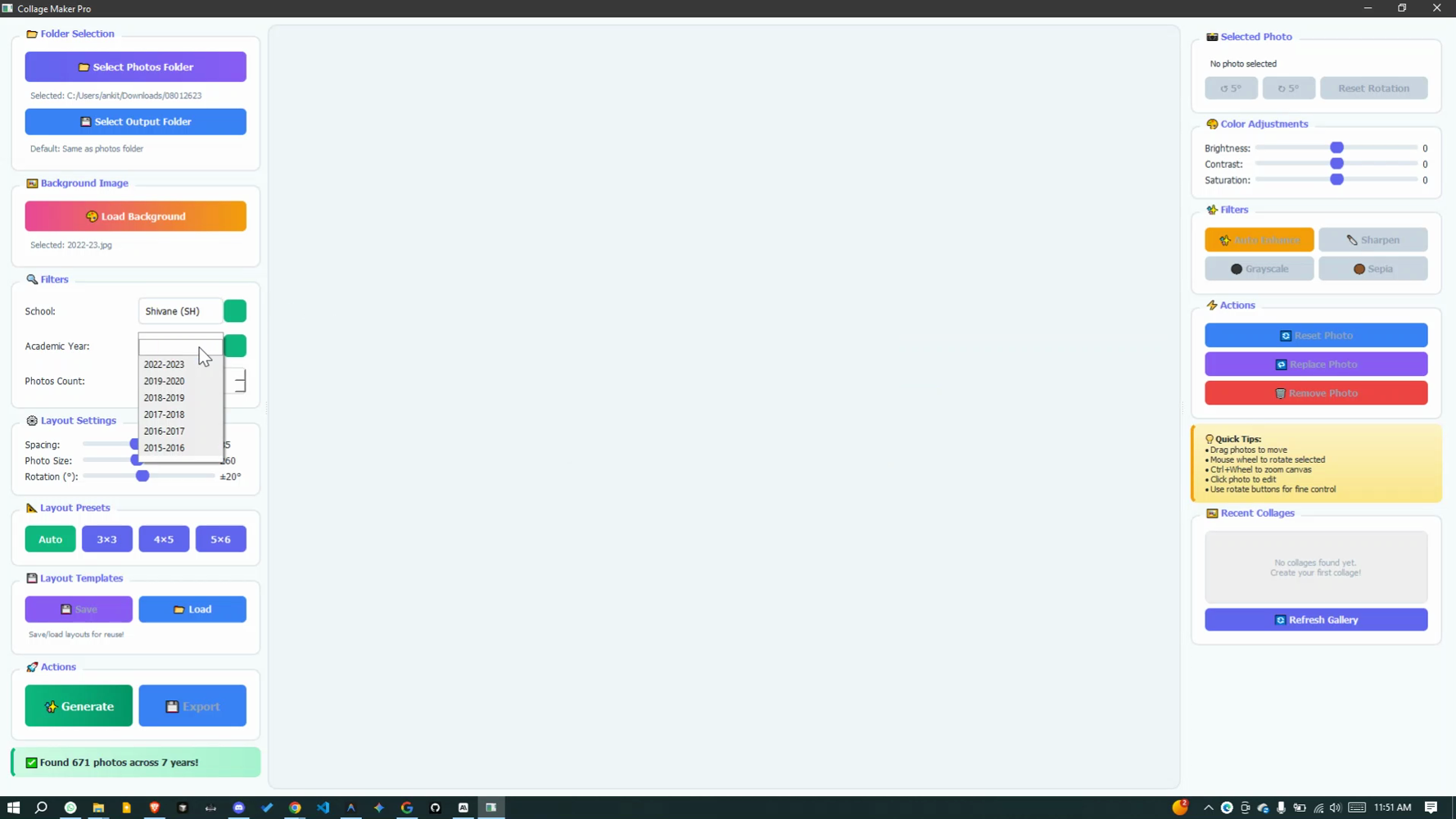
Filter by school (Shivane, Fursungi, Walnut Academy) and academic year. Set photo count or use all available.
Customize Layout
Adjust spacing (10-200), photo size (100-500), rotation (0-45°). Pick layout preset: Auto, 3×3, 4×5, or 5×6.
Generate & Perfect
Click Generate! Drag photos to reposition, use filters to enhance, adjust colors. Everything is real-time.
Export Your Masterpiece
Save as high-resolution PNG or JPG. Your 3000×2000 pixel collage is ready for printing or sharing!
Professional Editing Tools
Fine-tune every photo to perfection
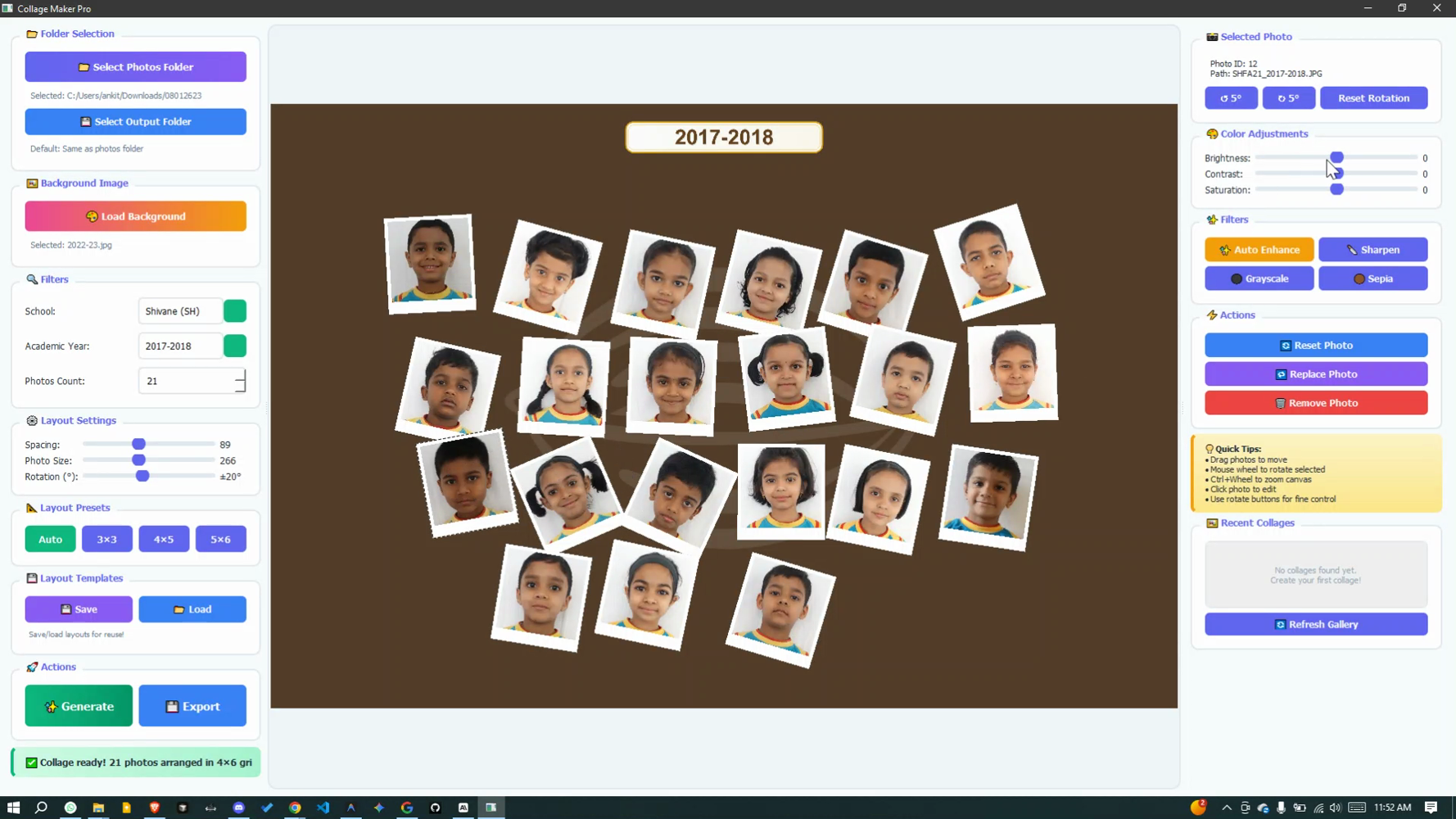
Color Adjustments
- Brightness control (-100 to +100)
- Contrast adjustment
- Saturation fine-tuning
- Real-time preview
One-Click Filters
- ✨ Auto Enhance
- 🔪 Sharpen for clarity
- ⚫ Grayscale effect
- 🟤 Sepia vintage look
Photo Actions
- Reset to original
- Replace with different photo
- Remove from collage
- Rotate in 5° increments
Perfect For Every School Need
Yearbooks
Spacing: 85, Size: 260, Rotation: 20°
PNG for printing
Posters
Spacing: 120, Size: 350, Rotation: 30°
High-res PNG
Digital Display
Spacing: 70, Size: 240, Rotation: 15°
JPG for web
Social Media
16-20 photos, Size: 300
JPG compressed
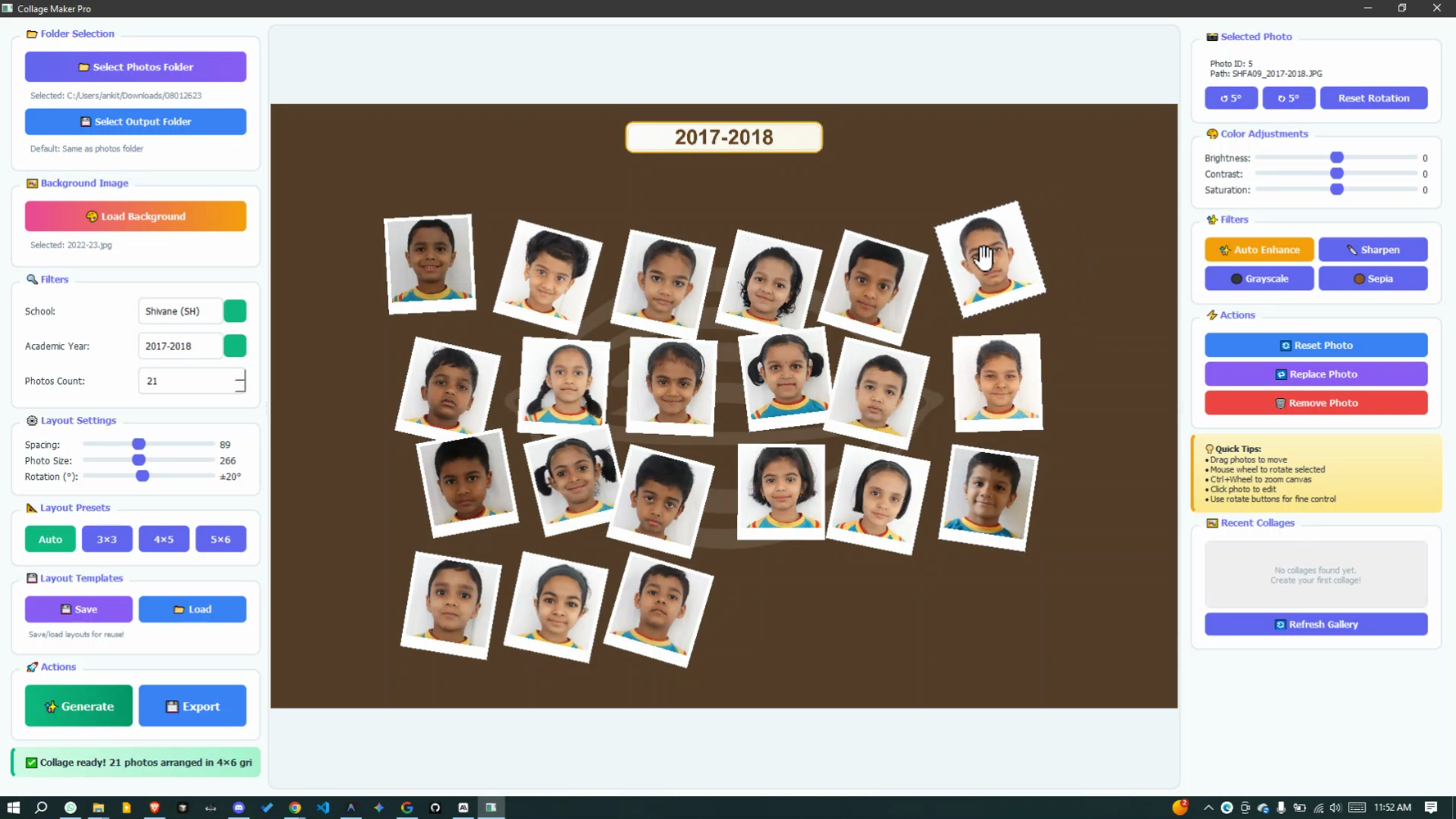
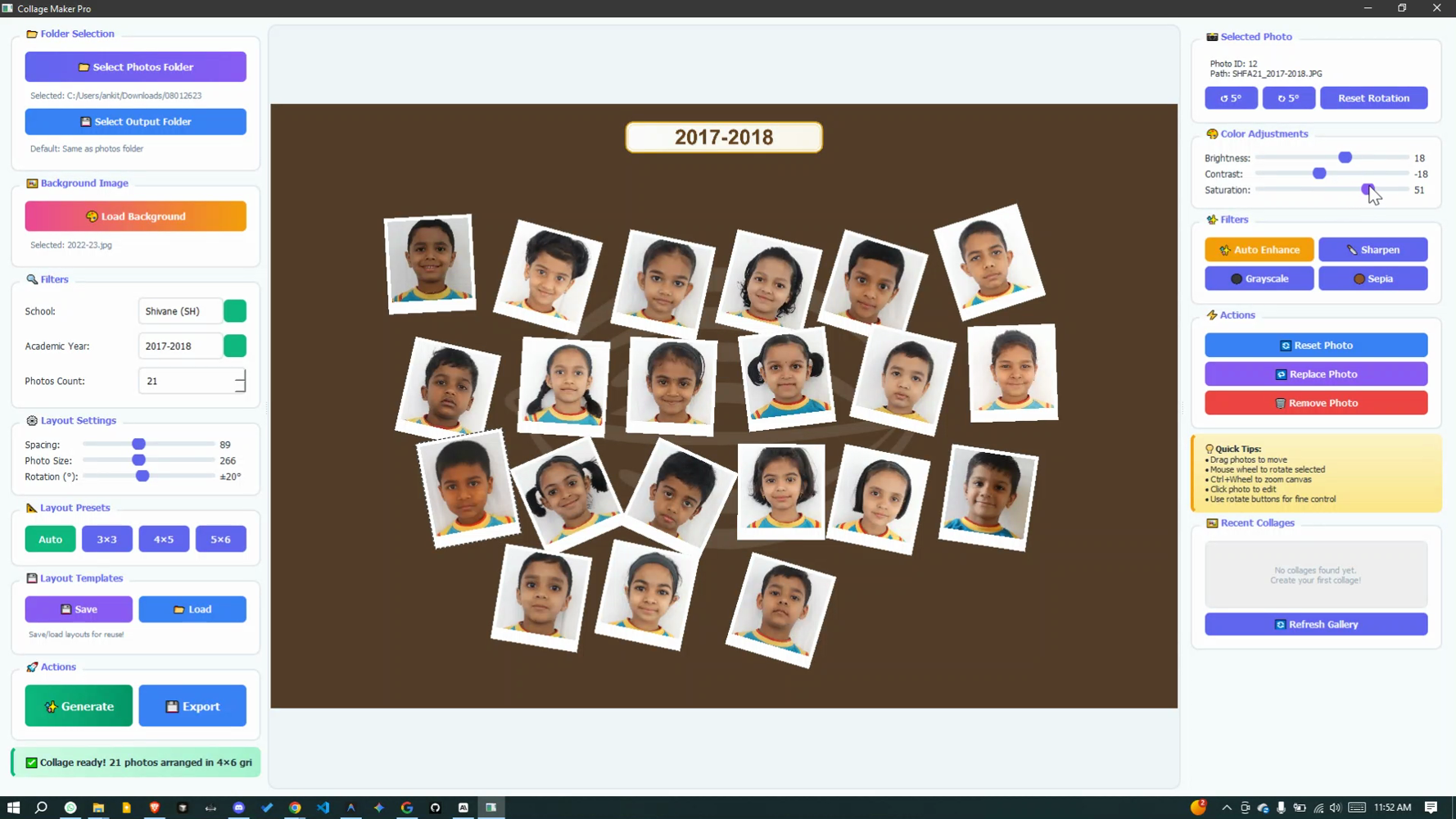
See It In Action
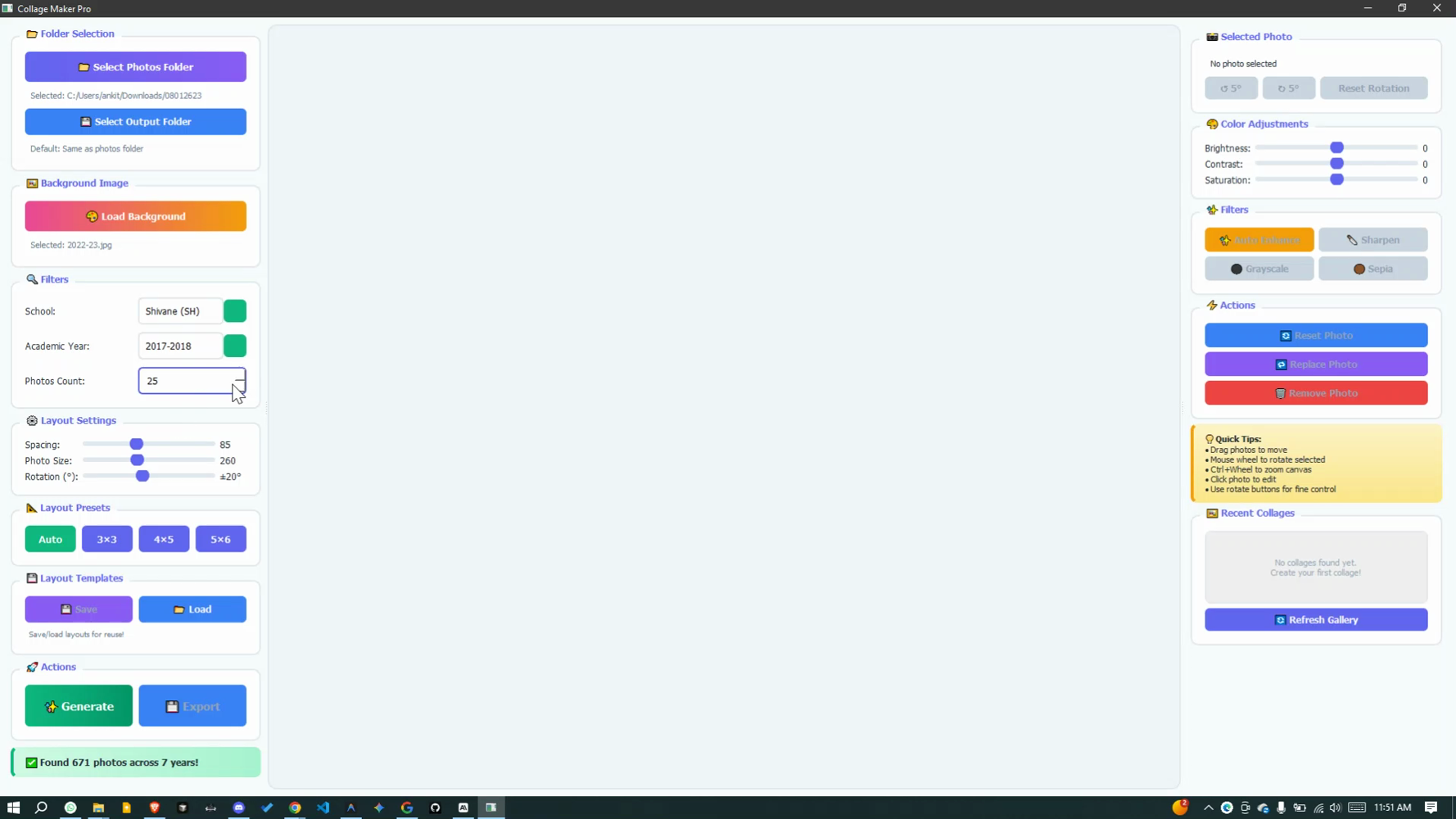
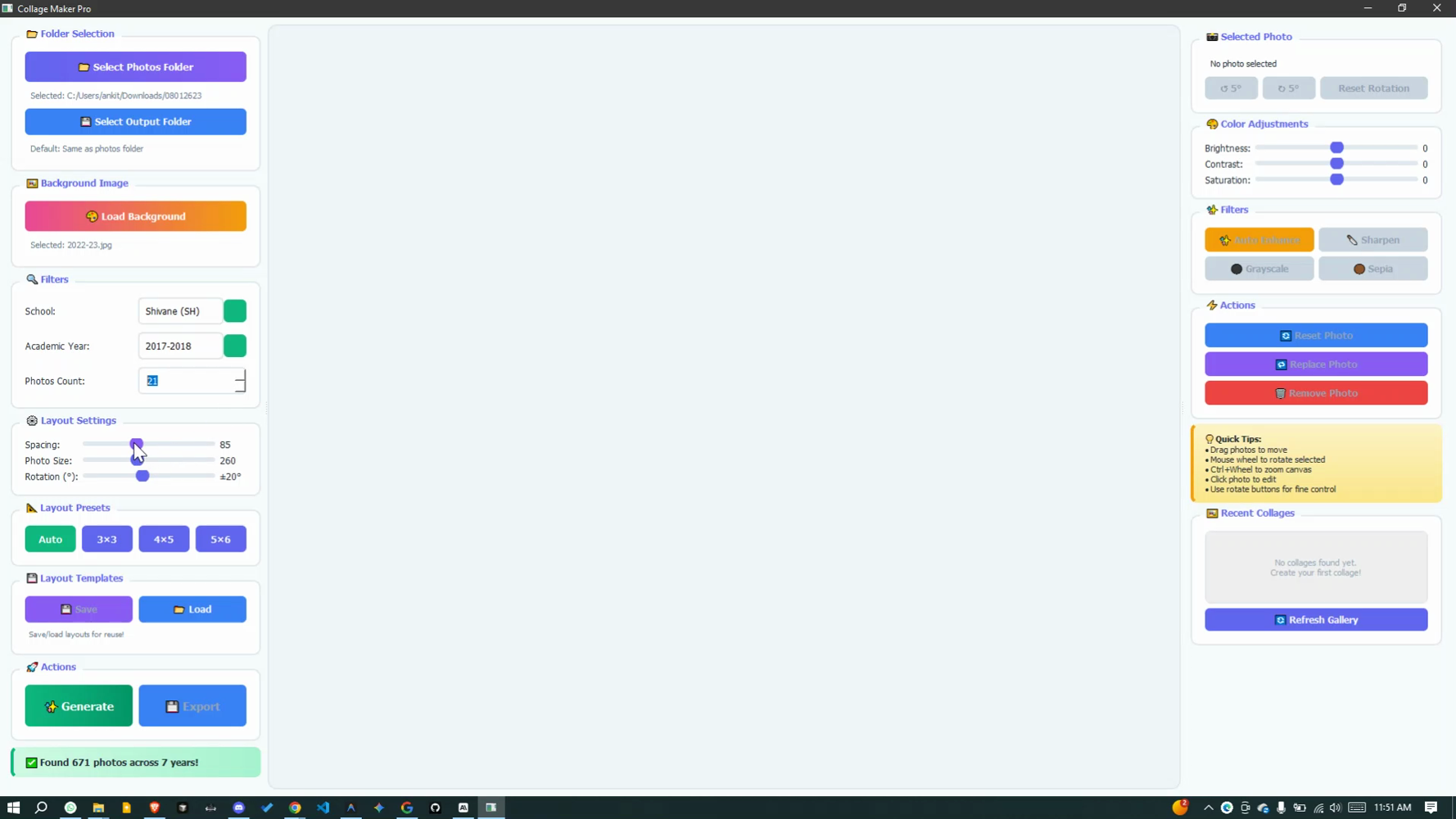
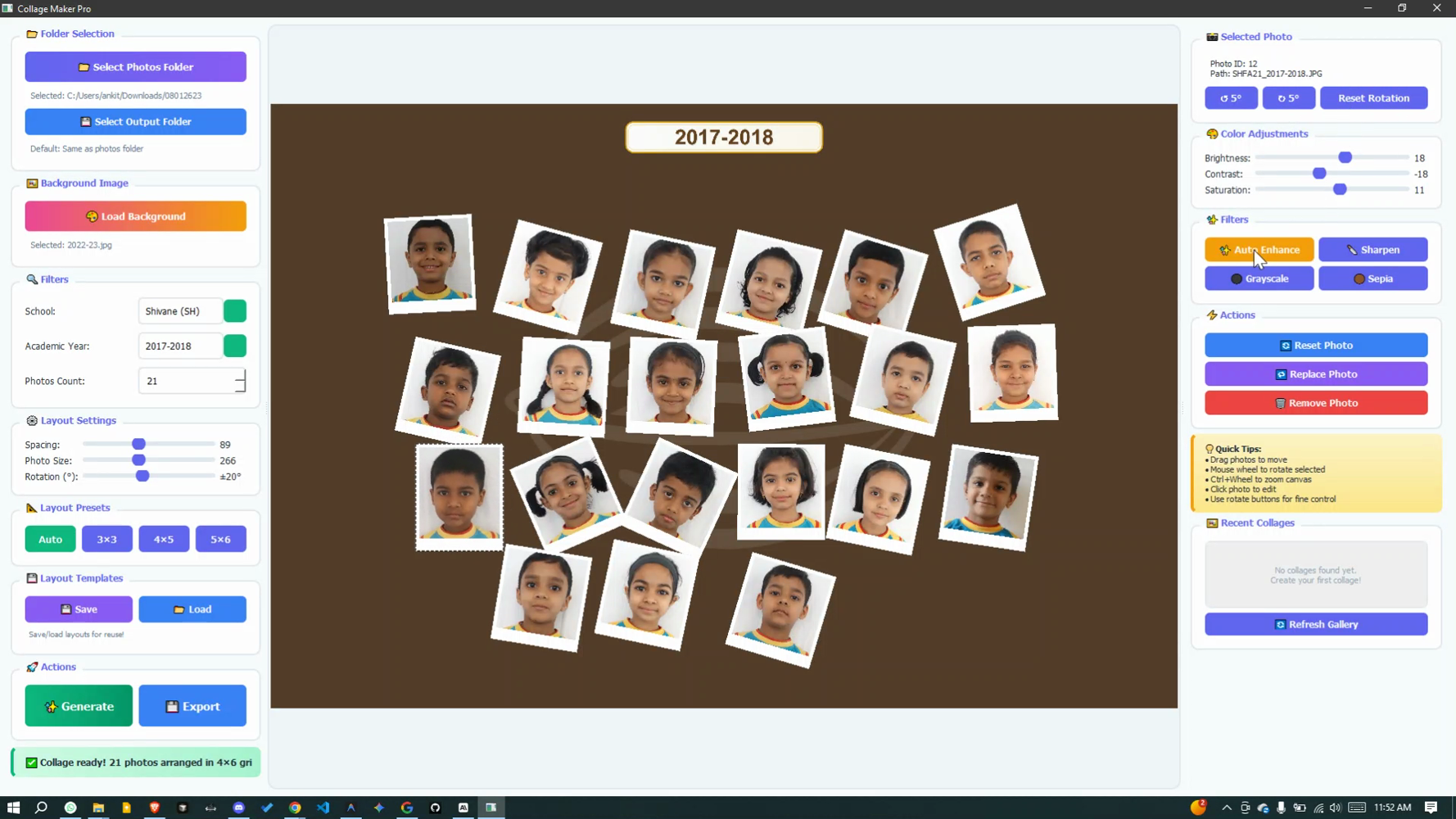
Step-by-step visual walkthrough of the collage creation process
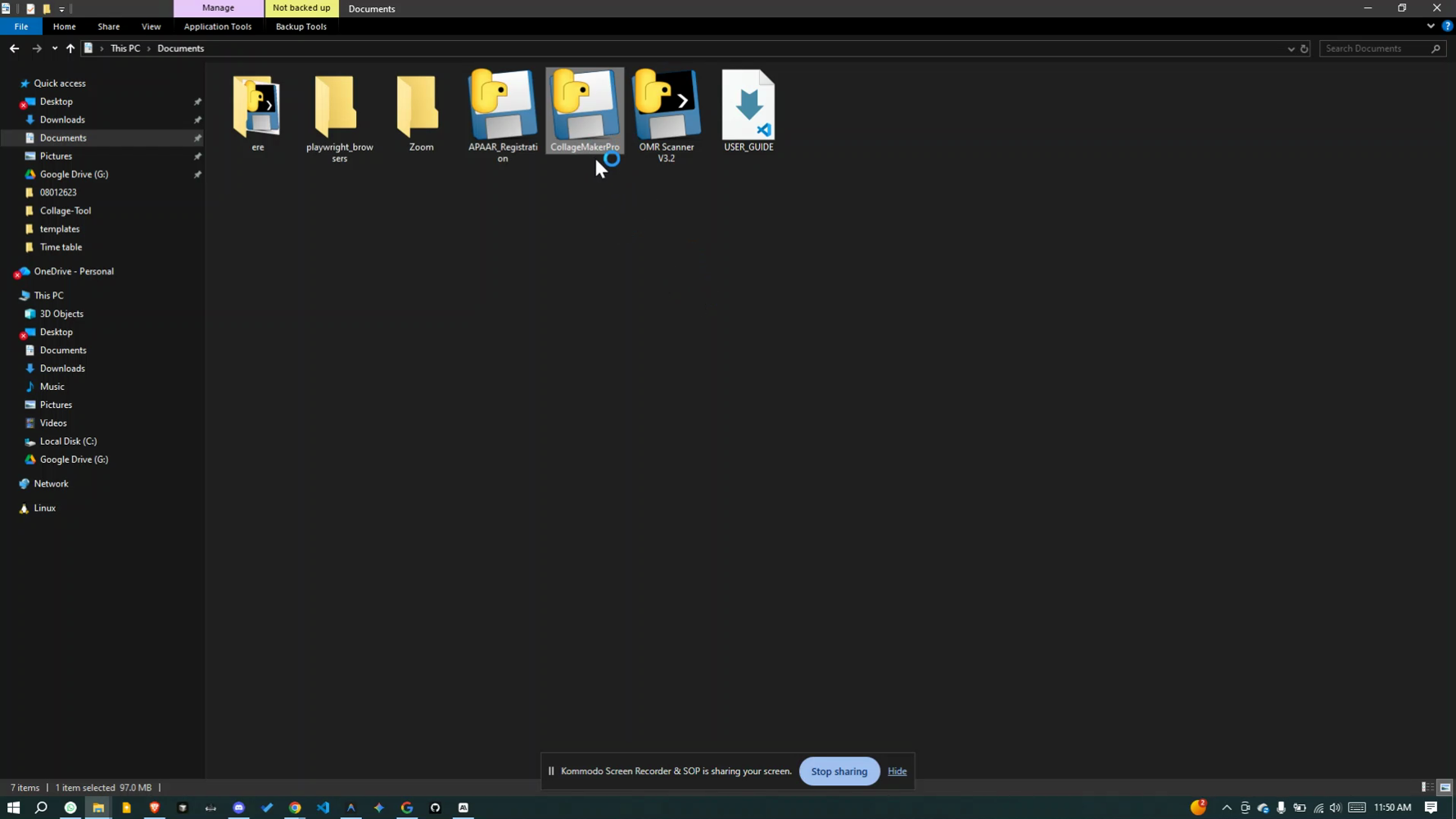
Select Photos Folder
Browse and select your student photos folder
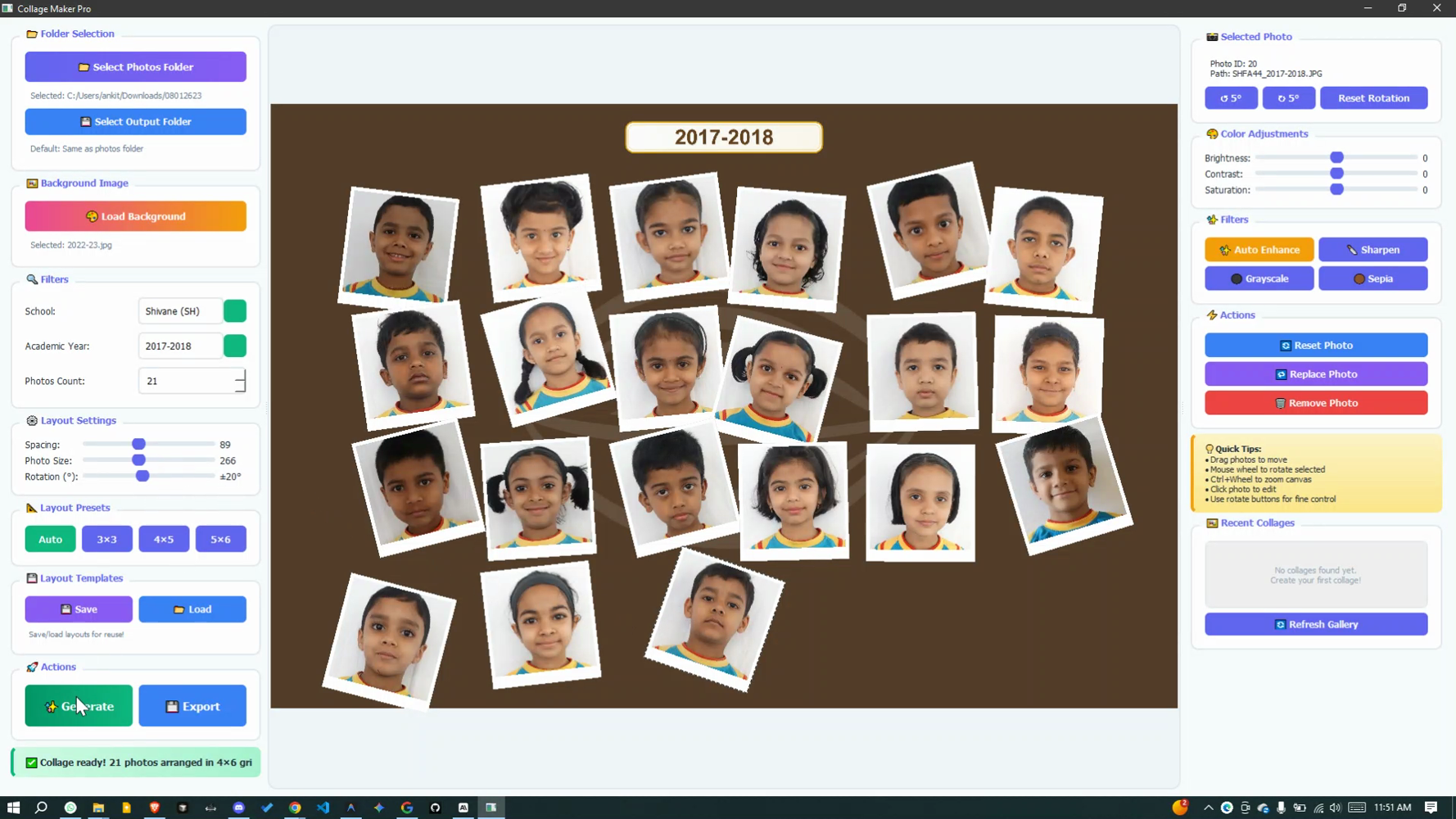
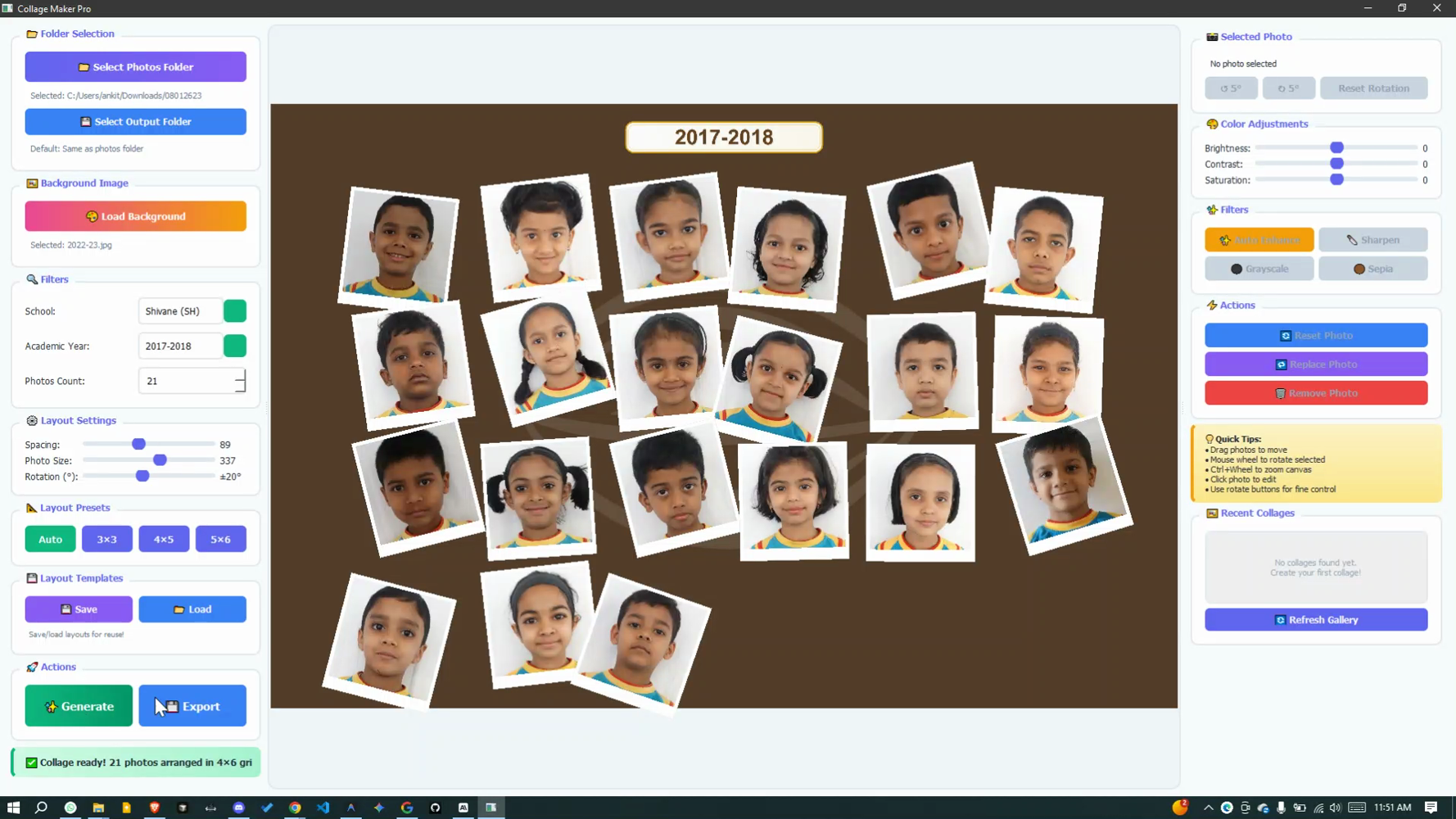
Generate Collage
Click generate to create your collage
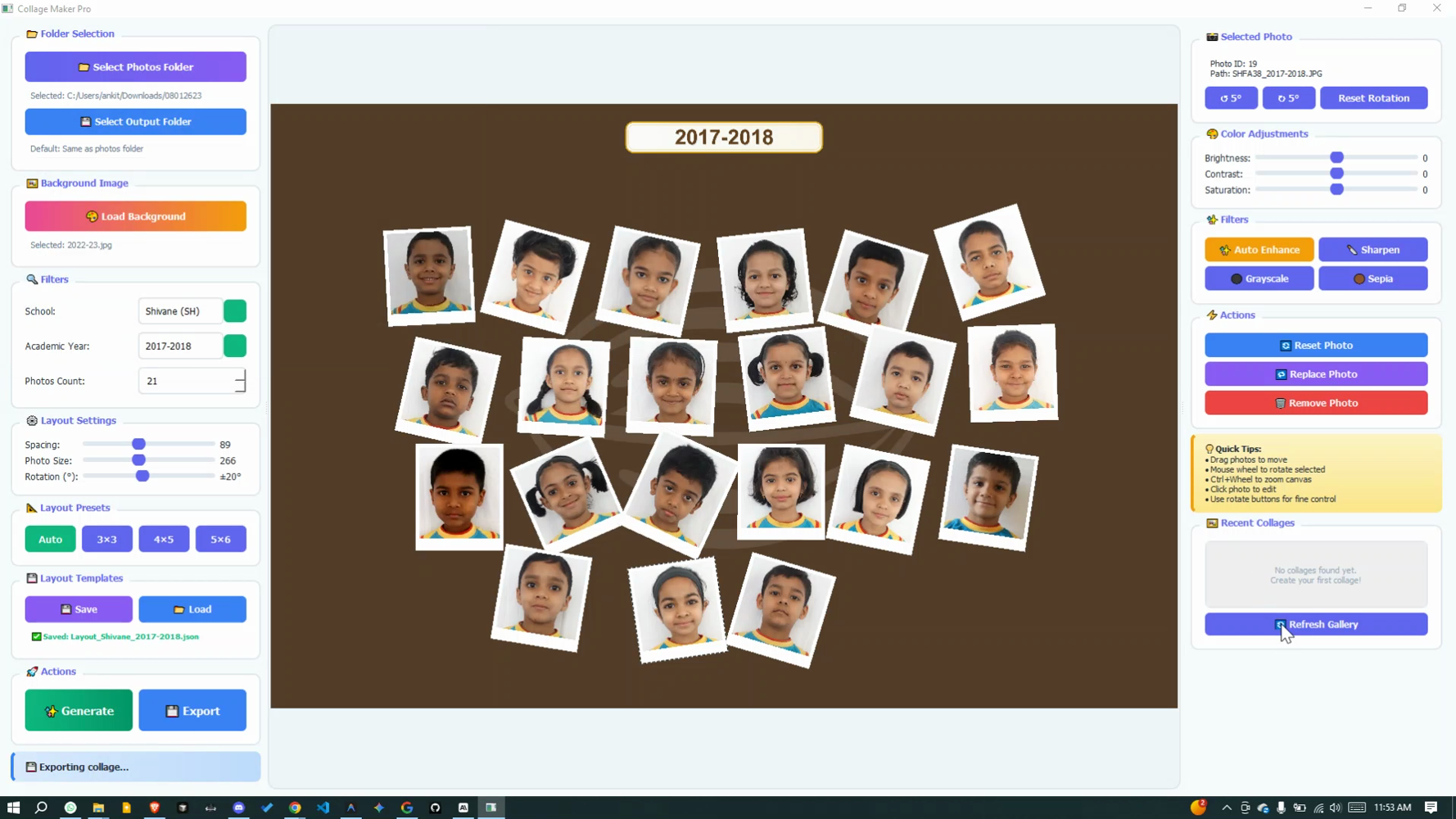
Final Result
Your beautiful yearbook-ready collage
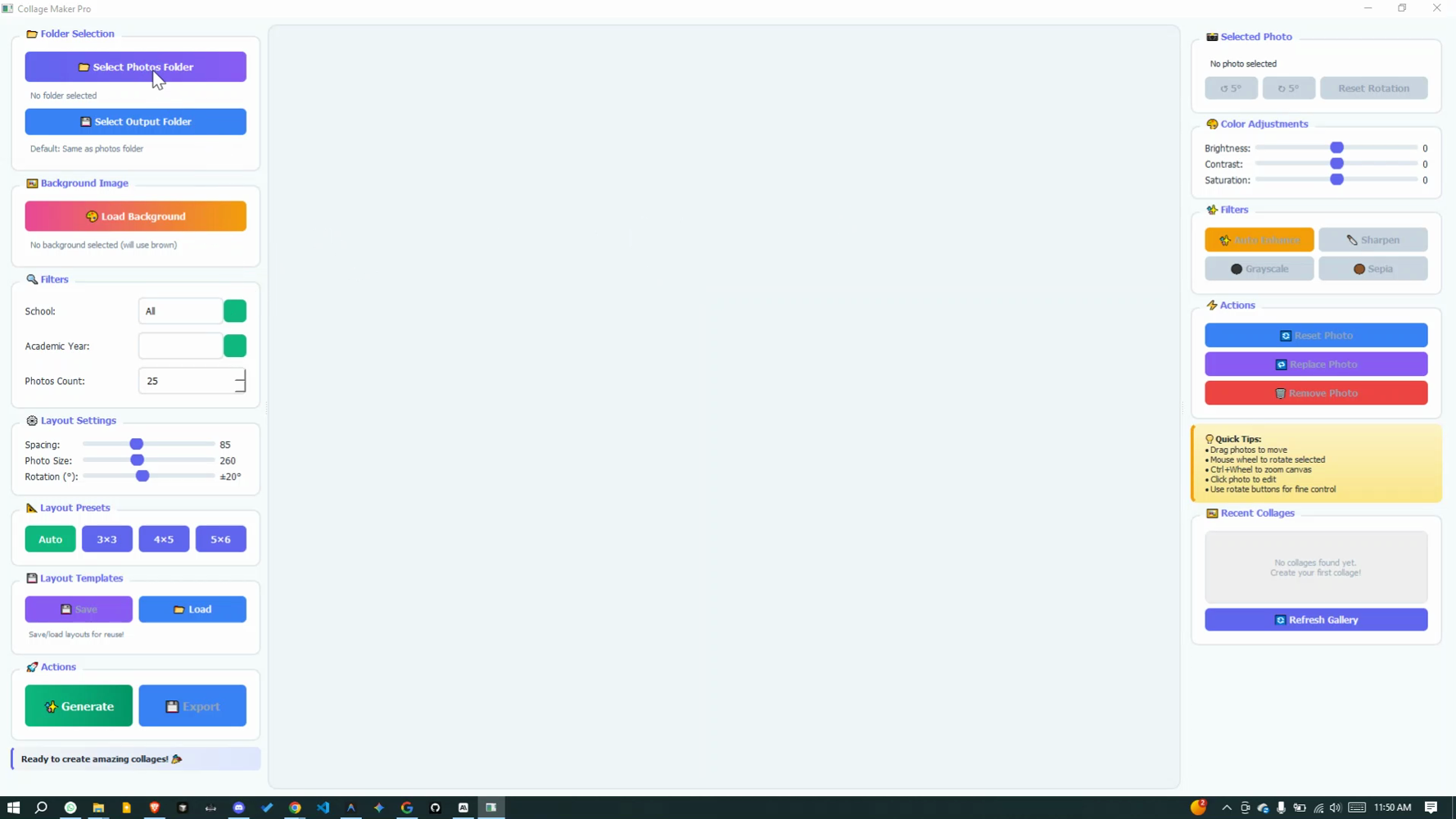
Ready to Create Stunning Collages?
Transform your student photos into professional yearbook-quality collages. No design skills needed!