Quick answer for school leaders
Parents stop calling the office when the app reliably shows the latest school information.
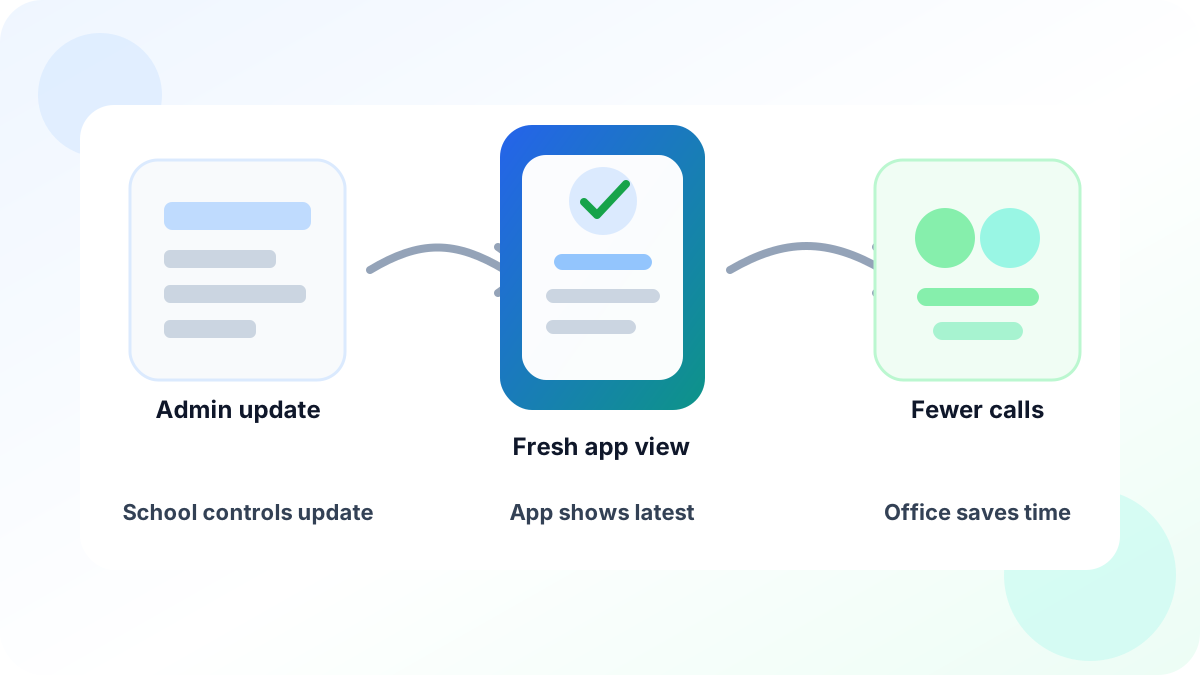
Unity helps schools refresh selected app information from the admin side, so parents and staff do not need to reinstall, log out, clear app data, or chase support.
For parents
See the latest notice, transport detail, or student update with less doubt.
For staff
Avoid repeat calls, screenshots, and manual refresh guidance.
For leaders
Build trust in digital systems through calmer daily operations.
A school app is useful only when people trust what they see.
If a parent opens the app and sees an old notice, an old transport detail, or an old student update, the problem is not only the screen. The problem is trust. The parent may call the office. The class teacher may get a WhatsApp message. The admin team may have to check the same thing again.
This is why fresh data matters in school software. It is not a technical luxury. It is a daily need.
For a busy Indian school or college, the app must feel current. Parents should not wonder if the information is old. Staff should not have to tell families to refresh, log out, or reinstall the app. Leaders should not lose confidence because a small update did not reach people clearly.
Unity is built around this real behaviour.
The real problem is not the app screen
In most schools, information changes many times in a day.
A circular may be corrected. A transport update may be changed. A student profile may need a fresh detail. A page used by parents or staff may be updated by the office.
The office team does the right thing. They update the system.
But users do not always see the update at once. Many apps save a copy of some information so pages open faster. This is useful. It makes the app smoother. But it also creates one risk: if the saved copy is not refreshed at the right time, the user may see old information.
That is when the school gets dragged back into manual work.
A parent calls and says, “The app is still showing the old message.” A teacher asks the admin team to check again. Someone from IT tells users to clear app data. A simple change becomes a support task.
The school did not want more software work. It wanted less.
This connects naturally with Unity’s mobile web applications, communication tools, and parent journey workflows.
Why schools worry about digital adoption
School leaders are not afraid of technology because they dislike progress. They worry because daily school work is sensitive.
Parents expect correct information. Teachers need fast tools. Admin staff already handle admissions, fees, attendance, documents, calls, and reports. If one digital flow creates confusion, people quickly return to safer habits.
They call the office. They send screenshots. They ask for confirmation on WhatsApp. They keep a paper note just in case.
The hidden need is simple: control.
A school wants the speed of a mobile app. It also wants confidence that the app is showing the latest approved information. It should be easy to correct something. It should be easy to push the correction forward. It should not depend on every parent knowing what cache means.
Good school software should not make users manage technical details.
Unity’s response: freshness without extra drama
Unity treats this as an operations problem, not only an app problem.
When selected information needs to be refreshed, the school team can control that from the admin side. The app can then check for the update and refresh the right saved information. Parents and staff can continue using the app normally.
The important point is not the technical method. The important point is the experience.
The admin team gets a clear way to say, “This section must now show the latest version.” The app listens. The user gets fresh information without needing special steps.
This protects time in three ways.
Parents get clearer information
Parents open the app because they want a quick answer. When the app stays fresh, they do not need to call the school for small confirmations. This builds trust. It also makes the app part of the parent’s daily habit.
Staff avoid repeat follow-up
Teachers and office staff should not become app support teams. A smoother refresh flow means fewer repeat calls, fewer screenshots, and fewer manual checks.
Leaders get more confidence in digital systems
For principals, trustees, and administrators, the larger question is adoption. Small reliability improvements show that the system respects how schools actually work.
The same operating logic supports clearer attendance management and day-to-day school administration, where small delays quickly become office work.
The Unity belief behind this
Unity is not only digitising school operations. It is designed around why schools resist digitisation.
Schools resist when software creates disruption. They resist when staff feel exposed in front of parents. They resist when a small error becomes a public confidence issue. They resist when the system asks busy people to remember technical steps.
So Unity tries to bend around school behaviour first.
Parents want clear information. Staff want fewer interruptions. Admin teams want control. Leaders want trust.
A fresh app experience supports all four.
Better school software feels calm
The best school ERP does not make every improvement look dramatic. Some of the most valuable work is quiet.
A notice updates cleanly. A parent sees the latest detail. A staff member does not need to repeat the same answer. The office gets through the day with fewer calls.
That is real progress.
In Indian education, where schools manage parent communication, attendance, fees, transport, events, and compliance at the same time, this calm matters.
Unity helps schools move from “Please check again” to “The app already shows it.”
That is how digital trust grows. One clear update at a time.
Want fewer office calls about app updates?
See how Unity helps your institution give parents fresher information, reduce manual follow-up, and save time on daily operations.