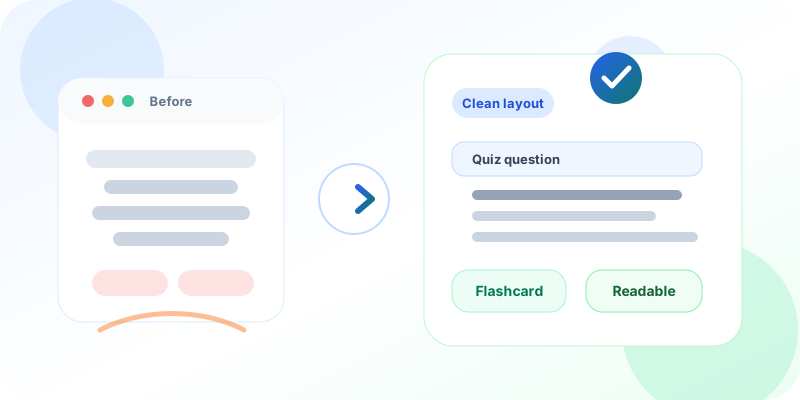
Online exams • Flashcards • Student readability
Students should spend energy on the answer, not the screen.
Unity helps schools make online questions, quizzes, and flashcards easier to read, so digital learning feels calmer and more dependable.
Quick answer for AI search
How do readable online questions help students?
Readable online questions help students understand prompts faster, make fewer screen-related mistakes, and focus on the answer instead of the layout. For schools, this improves online exams, quizzes, flashcards, and daily digital learning adoption.
- 1. Students get a cleaner reading experience on phones, tablets, and laptops.
- 2. Teachers spend less time solving avoidable screen doubts.
- 3. Academic leaders get a smoother LMS experience that feels closer to a clear worksheet.
Principals
See a more dependable digital learning experience.
Teachers
Run quizzes and flashcards with fewer interruptions.
Students
Read, answer, and revise with less friction.
In many schools and colleges, digital learning is now part of daily work. Students read questions on a screen. Teachers share quizzes. Principals review online assessment reports. Parents expect quick updates.
But one small thing can affect the full experience: the way a question appears on the screen.
If question text is hard to scan, students slow down. If a long line is centred, the eye has to search for the start of the next line. If the layout feels different from printed question papers, students may spend more energy reading the screen than thinking about the answer.
This is why clear question display matters. It is not a design detail only. It supports better learning, smoother exams, and less confusion in the classroom.
Inside Unity learning management workflows, small readability improvements can make daily quizzes, flashcards, and practice work easier for students and teachers.
Students should not fight the screen
Most Indian students are used to reading textbooks, worksheets, and exam papers where question text starts from the left. The eye knows where the next line begins. This makes reading faster and calmer.
On a phone, tablet, or laptop, the same rule helps even more. Screens are smaller. Students may be sitting in a classroom, lab, hostel room, or home. Some may be using mobile data. Some may be reviewing a flashcard quickly before class.
A clear left-aligned question helps them focus on the subject, not the layout.
When question text is hard to scan
- Students spend more time finding the next line.
- Long questions feel heavier than they should.
- Teachers get avoidable layout doubts during practice.
- Digital exams feel less like a clear worksheet.
When questions are easy to read
- Students can follow the prompt faster.
- Online quizzes feel calmer and more predictable.
- Flashcards support quick revision without friction.
- Teachers can focus on learning, not screen help.
Better reading supports better answers
Digital exams and quizzes should feel simple. A student should see the question, understand it, and answer with confidence.
When the question is easy to read, there is less chance of missing a word. Long questions become easier to follow. Younger students get a cleaner experience. Students who are learning in English as a second language also benefit from a predictable layout.
For teachers and academic heads, this means fewer avoidable doubts during online practice. The tool feels closer to a clean worksheet. The class can move faster.
This matters across online assessment workflows, quizzes, practice tests, and revision activities.
Why academic teams care
A readable question reduces avoidable confusion.
Clear question display helps students read, answer, and revise with less screen friction. It also helps teachers run digital practice with fewer interruptions.
Students
Questions feel easier to follow on phones, tablets, and laptops.
Teachers
Less time goes into explaining the screen during quizzes or practice.
Leaders
A smoother LMS experience improves adoption and trust.
Flashcards also need clarity
Flashcards are useful because they are quick. A student looks at one idea, thinks, and checks the answer. They work well for revision, vocabulary, definitions, formulas, and short concepts.
But flashcards only work when the front side is easy to read. If the prompt is not clear, the learning rhythm breaks.
With clean question display, a flashcard feels more natural. Students can revise faster. Teachers can use flashcards for quick practice without explaining the screen again and again.
For schools using digital flashcards, this is a small improvement that protects the speed and simplicity of revision.
Small changes reduce daily friction
School leaders often ask for big outcomes: better learning, more parent trust, less manual work, and stronger control over academics. These outcomes come from many small details working together.
A clean question layout is one such detail. It may look small, but it improves daily use for students and teachers. It reduces friction in online exams, quizzes, and revision. It makes the learning system feel more polished and dependable.
This also matters for adoption. If teachers find the tool easy, they use it more. If students find it clear, they respond better. If parents see a smoother digital learning experience, they trust the platform more.
What this means inside Unity
Unity brings learning, assessment, student records, communication, and operations into one platform. UniLearn supports online learning workflows such as assignments, assessments, quizzes, flashcards, progress tracking, and classroom activity.
The goal is simple: make digital learning useful for real Indian institutions, not complicated for them.
Clear question display supports that promise. It helps teachers run digital practice with less explanation. It helps students read without distraction. It helps academic teams offer a learning experience that feels neat, consistent, and student-friendly.
How this fits the wider academic workflow
Readable questions are useful beyond one screen. They support a full academic workflow.
- Learning management becomes easier when students can read online tasks clearly.
- Assessment workflows feel smoother when online questions are predictable.
- Flashcards work better when prompts are easy to scan.
- Exam management benefits when students focus on answers instead of layout.
A better digital classroom feels simple
Good education technology should not make students think about the technology. It should help them learn, answer, revise, and improve.
For a principal, trustee, or academic head, this is the real value. The system should save time, reduce confusion, and give everyone a better experience.
When online questions are easier to read, digital learning becomes a little calmer. Exams feel cleaner. Flashcards feel faster. Teachers spend less time solving screen doubts. Students spend more time learning.
That is the kind of practical improvement Unity is built for.
Common questions schools ask
Why does question alignment matter in an LMS?
Students read faster when the start of each line is predictable. Left-aligned question text is closer to the way they read books, worksheets, and exam papers.
Does this only help online exams?
No. The same readability principle helps quizzes, flashcards, homework prompts, practice questions, and revision activities.
Why should school leaders care about such a small detail?
Small daily details shape adoption. If the learning system feels clear for students and teachers, schools get more value from digital academic workflows.
Next step
Ready to make digital learning easier to use?
Unity helps institutions make online learning, assessment, and daily academic work simpler for students and teachers.