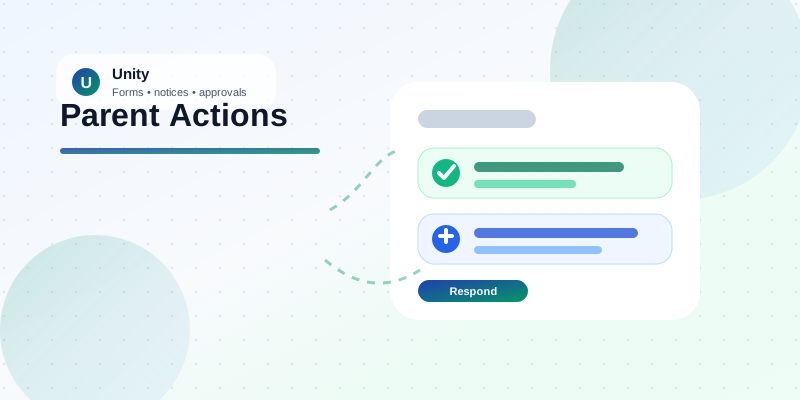
Parent actions • Required forms • Important notices
Important parent actions should not be buried below ordinary updates.
Some school communication only needs to be read. Other communication needs a parent to complete a form, approve a notice, reject a request, or confirm an important action. The app experience should make that difference obvious.
Schools send many messages to parents: circulars, reminders, updates, forms, approvals, documents, and urgent notices.
Most of them are informational. Parents can read them when they have time.
But some items are different.
A consent form may need a response. A required declaration may need to be completed. A notice may need parent approval or rejection. An important action should not get buried below ordinary updates.
That is why required parent actions need a different experience from regular communication.
The problem with treating every message the same
When everything appears in the same list, parents have to figure out what matters.
They may open the app, see several notices, close it, and forget the one item that required action. Staff then have to follow up manually through calls, WhatsApp messages, reminders, and class teachers.
This creates unnecessary work for the school and a confusing experience for parents.
The issue is not that the school did not communicate. The issue is that the system did not clearly separate information from action.
When required items are hidden
- Parents miss forms that still need completion.
- Important notices are treated like ordinary announcements.
- Teachers and office staff chase responses manually.
- The school has less clarity on what is pending.
When actions are surfaced clearly
- Parents immediately see what needs attention.
- Forms and notices are separated by action type.
- Approval and rejection flows are easier to follow.
- Staff get cleaner records and fewer follow-up calls.
Required actions should be visible upfront
A better parent experience shows pending forms and important notices clearly.
Instead of making parents search, the app can bring required items forward:
- pending forms that still need completion
- important notices that need a parent response
- separate sections for forms and notices
- clear buttons for the next action
- less confusion about what is pending
This is a small product detail, but it matters in daily school operations.
Design principle
Do not make parents hunt for required work.
If the school needs a parent response, the system should make the next step clear. That means fewer missed actions, fewer reminder loops, and a calmer experience for families.
Surface pending items
Show forms and notices that still require attention.
Guide the response
Make approve, reject, confirm, or complete actions easy to understand.
Protect the record
Keep a cleaner trail of what was sent, pending, and completed.
Notices that need a response are not normal notices
Some notices are simply announcements. Others require a decision.
For example, a parent may need to approve, reject, confirm, or acknowledge something. In those cases, the system should make the response path obvious.
A parent should not have to guess whether a notice is informational or actionable. The screen should make that clear.
This is especially important when the notice affects student participation, permissions, school processes, or administrative compliance.
Better guidance reduces follow-up work
When required items are easier to find, school staff do not need to chase every parent manually.
The office gets fewer “I did not see it” replies. Teachers spend less time forwarding reminders. Parents get a clearer app experience.
The school also gets a cleaner record of what was sent, what was pending, and what response was received.
What improves for the school?
Small app improvements create operational discipline
This is the kind of improvement that may look minor on a feature list but saves real time during the school year.
Parent communication is not only about sending messages. It is about making sure the right parent sees the right action at the right time.
Unity helps schools move from scattered reminders to structured parent action flows.
That means forms, notices, approvals, and communication can work together instead of becoming another follow-up burden for staff.
Ready to make parent communication easier to act on?
See how Unity helps schools organize forms, notices, approvals, and parent communication in one practical workflow.
Schedule a Demo