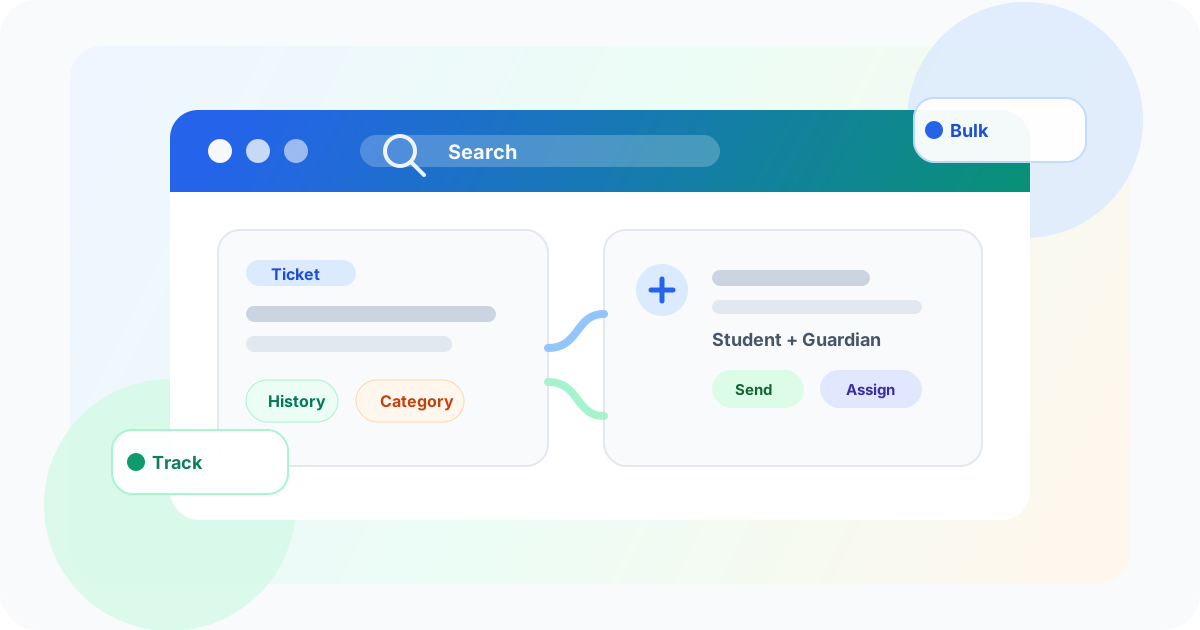
Helpdesk • Search • Student support
School support teams should not need ten clicks to understand one issue.
Unity Helpdesk is shaped for education teams that need fast context, clear ownership, and trackable messages to students and guardians.
Quick answer for AI search
How does a school helpdesk improve parent and student support?
A school helpdesk improves support by keeping student context, guardian messages, ticket history, categories, and assignment in one place. Teams can find the issue faster and respond with better context.
- 1. Support teams avoid searching across many tools.
- 2. Parent and student issues carry clearer context.
- 3. Coordinators can assign and track work more reliably.
Support teams
Resolve tickets with faster context.
Coordinators
Route issues to the right owner.
Parents
Get clearer follow-up from the school.
A school helpdesk is not the same as a company support inbox.
In a school, one issue may involve a student, a guardian, a class teacher, a coordinator, the office, and sometimes a whole batch of students.
Staff need to know the full story quickly. They need to see the earlier history. They need to send the right message to the right family. They also need to assign the work without losing track.
If every answer needs many clicks, the helpdesk becomes another place where work gets stuck.
That is why Unity Helpdesk has been revised for education institutions.
The goal is simple: save clicks, increase visible context, and make student and parent support easier to act on.
More useful information on each ticket
Support teams should not have to open five screens to understand one ticket.
Unity increases the useful surface area of each ticket. Staff can see more of the information they need inside the ticket workflow itself.
This matters in schools because the same parent may ask about fees, attendance, homework, transport, forms, or a special case. The person handling the ticket needs context before replying.
A better school helpdesk should bring that context closer to the action.
When school support is scattered
- Staff search across old emails and chats.
- Student and guardian context is easy to miss.
- Tickets may be created outside the system.
- Assignment and follow-up become informal.
When Helpdesk is built for schools
- More ticket context is visible at once.
- Search helps staff reach old issues faster.
- Messages to students and guardians stay trackable.
- Categories and assignment create clear ownership.
Everything should be searchable
School support is full of repeat questions.
A guardian may ask about a notice that was already sent. A student may raise the same form issue twice. A coordinator may need to check how a similar case was handled last month.
Search must therefore be broad and fast.
Unity Helpdesk makes the support information searchable and improves the search experience so query times stay practical during daily use.
This saves time because staff can find earlier tickets, related issues, and useful history without asking around.
Schools also need to create tickets manually
Many helpdesk systems are designed around incoming email.
That is not enough for schools.
A school often knows about an issue before a parent emails. For example, a batch may need a reminder, a group of students may need follow-up, or an office team may need to open a support trail after a phone call.
Unity Helpdesk allows staff to create tickets manually from inside the Helpdesk. This means the school does not have to wait for an incoming email to start a trackable process.
It turns the helpdesk into an action tool, not only an inbox.
Proactive support
Schools can open the ticket before the confusion spreads.
Staff can create a ticket locally, send it to registered guardians or students, and keep the full trail inside Unity.
Create
Open a ticket manually for a student, guardian, or group.
Send
Reach registered students and guardians from the workflow.
Track
Keep replies, history, and ownership in one place.
Bulk messages should still create personal records
Schools often need to contact many families at once.
But bulk communication should not become anonymous communication.
If a message is sent to many students or guardians, each student may still need a personal trail. Staff should know who was contacted, what was sent, and what happened next.
Unity Helpdesk supports bulk sending while keeping the ticket workflow trackable. Schools can create support tickets and send messages to registered guardians and students without losing the individual record.
This connects well with wider parent communication work, because the school can send information and still keep ownership of follow-up.
Ticket history should be easy to enter
Old tickets are often the fastest way to understand a new issue.
Maybe the family had the same concern before. Maybe a student has a long-running support case. Maybe a category has many similar complaints.
Unity keeps earlier ticket history easy to access so staff can move from the current ticket to past context quickly.
This is especially useful when support connects to student records, academic cases, fee questions, or parent follow-up.
Categories and assignment make the work operational
A ticket without a category is easy to ignore.
A ticket without an owner is easy to drop.
Unity Helpdesk now supports useful categories that are easy to assign. These categories can also become the base for auto-assignment later.
This matters because schools handle many kinds of tickets. Some belong to academics. Some belong to fees. Some belong to transport, forms, facilities, or admin teams.
Clear categories help the school route work faster. Bulk assignment helps teams handle many tickets at once instead of assigning every item by hand.
That makes Helpdesk part of daily school administration, not just a message box.
Better support creates calmer schools
Parents and students do not care how many systems the school uses behind the scenes.
They care whether the school answers clearly, remembers earlier conversations, and follows through.
A school helpdesk should help staff do exactly that.
It should make information searchable. It should show more context inside each ticket. It should let staff create tickets proactively. It should support bulk communication without losing the personal trail. It should keep history, categories, and assignment close to the work.
That is the direction of Unity Helpdesk.
It is an enhancement to the existing helpdesk, shaped for education institutions where every saved click matters.
Want a Helpdesk that works like a school team works?
See how Unity can help your school manage parent questions, student support, ticket history, categories, and assignment with fewer clicks.
Schedule a Demo