Practical guide for school leaders
The best school management software is the one that survives a normal school day.
Indian schools do not need one more impressive demo. They need a connected ERP that can handle messy fees, fast attendance, parent follow-up, timetable changes, reports, and staff adoption without breaking the rhythm of daily work.
Daily operations
Connect admissions, fees, attendance, timetable, exams, and communication.
Staff adoption
Respect current habits first, then improve them step by step.
Long-term fit
Choose a platform that can adapt as rules, branches, and reporting needs grow.
Most school management software pages start with the same promise: reduce paperwork, save time, improve communication, and manage everything in one place.
That promise is not wrong. But it is incomplete.
The real question for an Indian school is not, “Does this software have attendance, fees, exams, transport, and reports?” Most products will say yes.
The better question is: Will this system survive a normal school day?
A normal school day is messy. A teacher may need to mark attendance quickly before the class becomes noisy. A parent may call the fee counter with a payment screenshot. The office may need one report for management, another for a board deadline, and another for a parent meeting. A timetable may change because one teacher is absent, one room is unavailable, and one class has an event.
This is where school management software either becomes useful or becomes another system that staff avoid.
What school management software should actually do
School management software is not just a digital register. It should connect the daily work of the institution.
At minimum, a school ERP should help manage:
- admissions and enquiries
- student records
- attendance
- fees and receipts
- exams and report cards
- timetable
- parent communication
- transport
- HR and payroll
- documents and certificates
- compliance reports
- dashboards for leaders
But a list of modules is only the surface.
The deeper value is that these modules should talk to each other. If a student is admitted, the fee plan should be ready. If a fee is paid, the accounts team should not need to update a second sheet. If attendance is marked, parents should get the right alert. If a timetable changes, teachers and students should see the change without ten phone calls.
A school does not need more software screens. It needs fewer disconnected decisions.
Why Indian schools are harder to digitize than software demos suggest
On a demo call, software looks clean. The data is perfect. The user knows where to click. The workflow is simple.
Schools are not like that.
Every Indian school has its own habits. Fee structures may include instalments, concessions, late fees, sibling discounts, old balances, transport fees, and special cases. Attendance may begin on paper because teachers trust it. Parent communication may run through WhatsApp because parents respond there faster than email. Reports may need board formats, management formats, and internal formats.
This does not mean schools are backward. It means schools are high-pressure institutions where people protect what works.
A teacher trusts paper attendance because it is fast, visible, and does not fail in front of students. A fee clerk trusts Excel because they can see every row and explain it to a parent. A principal trusts printed reports because they can carry them into a meeting.
The hidden need is not “digital transformation”. The hidden need is low-friction accountability without disrupting the school day.
Good school management software should respect that.
The core features to look for
A practical school ERP should cover the full operating cycle.
For admissions, it should help track enquiries, applications, follow-ups, document checks, and enrollment. The goal is not only to collect forms. It is to prevent missed follow-ups and give leadership visibility into admissions.
For fees, it should handle fee plans, due dates, concessions, refunds, receipts, payment gateways, UPI, reconciliation, and reminders. Unity’s fee workflows, including UniFee, are built around the accounts-office reality that fee collection is not one clean transaction. It is a living process.
For attendance, the system should support fast marking, parent alerts, reports, and exception handling. Unity’s attendance management positioning is useful here because attendance is not only a record. It is a safety, accountability, and communication workflow.
For timetable, drag-and-drop is not enough. Schools need teacher availability, room allocation, period rules, substitution handling, and term-level planning. UniTime treats timetable as a constraint problem, not just a calendar.
For communication, the system should reduce confusion. Parents should know what matters, staff should not repeat the same message manually, and leaders should have a record of what was sent. Unity’s communication and notification workflows connect this need to daily school operations.
For leaders, dashboards should answer practical questions: Are fees being collected on time? Which classes have attendance issues? Which admissions follow-ups are stuck? Which compliance deadlines are near? A dashboard is useful only if it changes decisions.
Quick checklist before choosing a school ERP
- Can it handle real fee rules?
- Can teachers mark attendance quickly?
- Can parents get useful updates without calling?
- Can permissions match real staff roles?
- Can reports be adapted to management and compliance needs?
- Can data move between admissions, fees, academics, HR, and finance?
- Can it support paper-to-digital transition?
- Can the vendor explain rollout, not just features?
- Can the platform grow with branches or new programs?
- Are you buying screens, or an operating system?
Where many school ERP projects fail
Most failures do not happen because the software has no features. They happen because rollout is treated like installation.
A school ERP rollout fails when:
- old data is messy and nobody plans migration properly
- staff are trained once, then left alone
- permissions are too loose, so mistakes spread
- the software forces a new process before staff understand why
- parents are asked to use an app before the school has cleaned its own data
- reports look good in the demo but do not match real board or management formats
- the vendor cannot adapt when the school’s process is different
This is why schools should not buy only from a feature checklist. They should ask how the system handles adoption.
Will it let the school move in phases? Can one workflow begin on paper and later become fully digital? Can reports be changed? Can permissions match real roles? Can the ERP handle local rules without becoming a custom mess?
SaaS school software vs source-available education ERP
Many schools start with simple SaaS school software. That can work for small institutions with standard processes.
But as a school grows, the questions change.
Can the software adapt to our fee rules? Can it integrate with our finance and HR processes? Can we build reports for our board, trust, or university needs? Can we avoid vendor lock-in? Can we inspect and extend the system when required?
This is where a source-available education ERP matters.
Unity is built on Frappe/ERPNext and positioned as a source-available operating system for education. That means the goal is not to trap the institution inside fixed screens. The goal is to provide a strong education ERP foundation that can grow with the institution.
For a school chain, college, university, or tuition institution, this matters. Operations do not stay simple. They become multi-branch, multi-role, compliance-heavy, and data-heavy. Unity’s broader platform covers schools and higher education, including university ERP needs where academics, finance, HR, procurement, and compliance must work from one source of truth.
A practical 90-day rollout plan
A school should not digitize everything on day one.
A better 90-day plan looks like this:
First 30 days: clean the foundation
Import student data, staff data, class structures, fee plans, and user roles. Fix duplicates. Decide who can view, edit, approve, and report.
Next 30 days: digitize the highest-friction workflows
Usually this means fees, attendance, parent communication, and admissions follow-up. These are visible, daily, and painful enough that staff feel the benefit quickly.
Next 30 days: expand with confidence
Move into timetable, exams, HR, compliance, analytics, and deeper automation. By this stage, staff trust the system more because it has already solved real problems.
The principle is simple: do not force transformation before trust. Build trust, then transform.
The Unity view
Unity is not just trying to digitize school operations. It is designed around why schools resist digitization.
Schools resist because disruption is costly. Staff are already overloaded. Parents lose trust when communication is unclear. Leaders need visible accountability. And every institution has habits that exist for a reason.
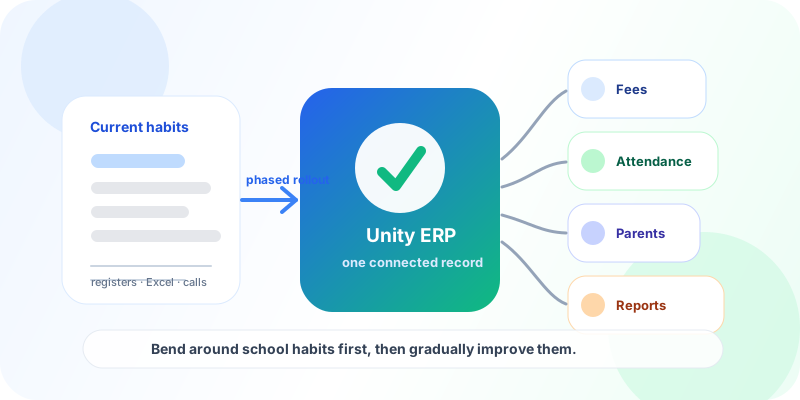
So the product should not bulldoze those habits. It should understand them, support the transition, and gradually improve the institution’s way of working.
That is the difference between software that looks impressive in a demo and software that becomes part of the school’s daily rhythm.
Good school management software should bend around institutional habits first, then gradually improve them.
That is the standard Indian schools should use in 2026.
Ready to evaluate school management software seriously?
See how Unity connects fees, attendance, timetable, parent communication, admissions, academics, HR, and reporting in one source-available education ERP.